Product Spotlight

DineFlow Restaurant POS

The all-in-one point-of-sale system built for restaurants, cafés and cloud kitchens — floor management, kitchen display, billing and QR self-ordering in one fast, beautiful app.

Web + MobileManage from anywhere
Live KDSKitchen display, real-time
QR OrdersContactless self-ordering
One BillTable-to-payment in seconds
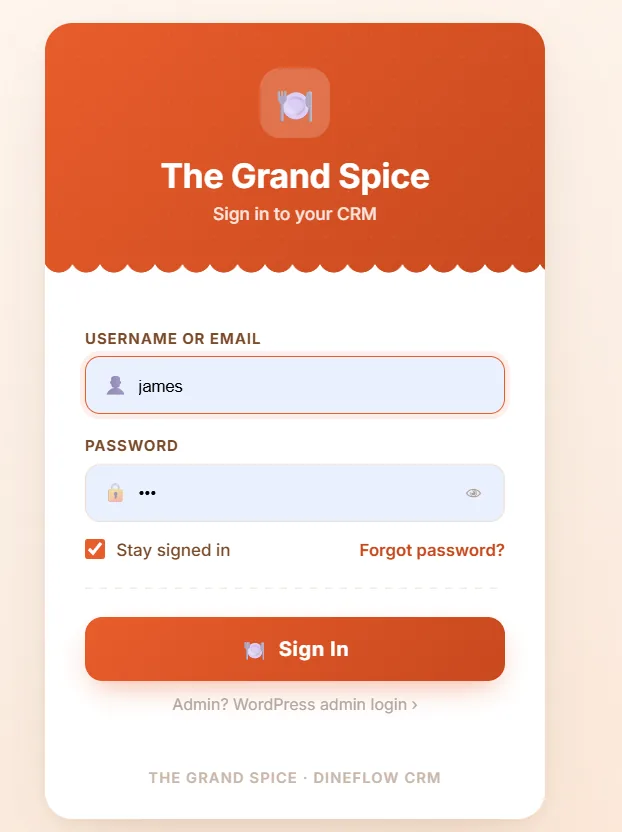
DineFlow CRM secure staff login screen
Secure Access

Role-Based Login for Every Team Member

Every staff member signs in with their own credentials — owners, managers and waitstaff each see only what they need, keeping your restaurant data safe and organised.

  • Username/email + password sign-in
  • Stay-signed-in option for fast shift starts
  • Separate WordPress admin login for owners
  • Built on the same secure foundation as DineFlow CRM
Command Center

Your Entire Restaurant, One Glance

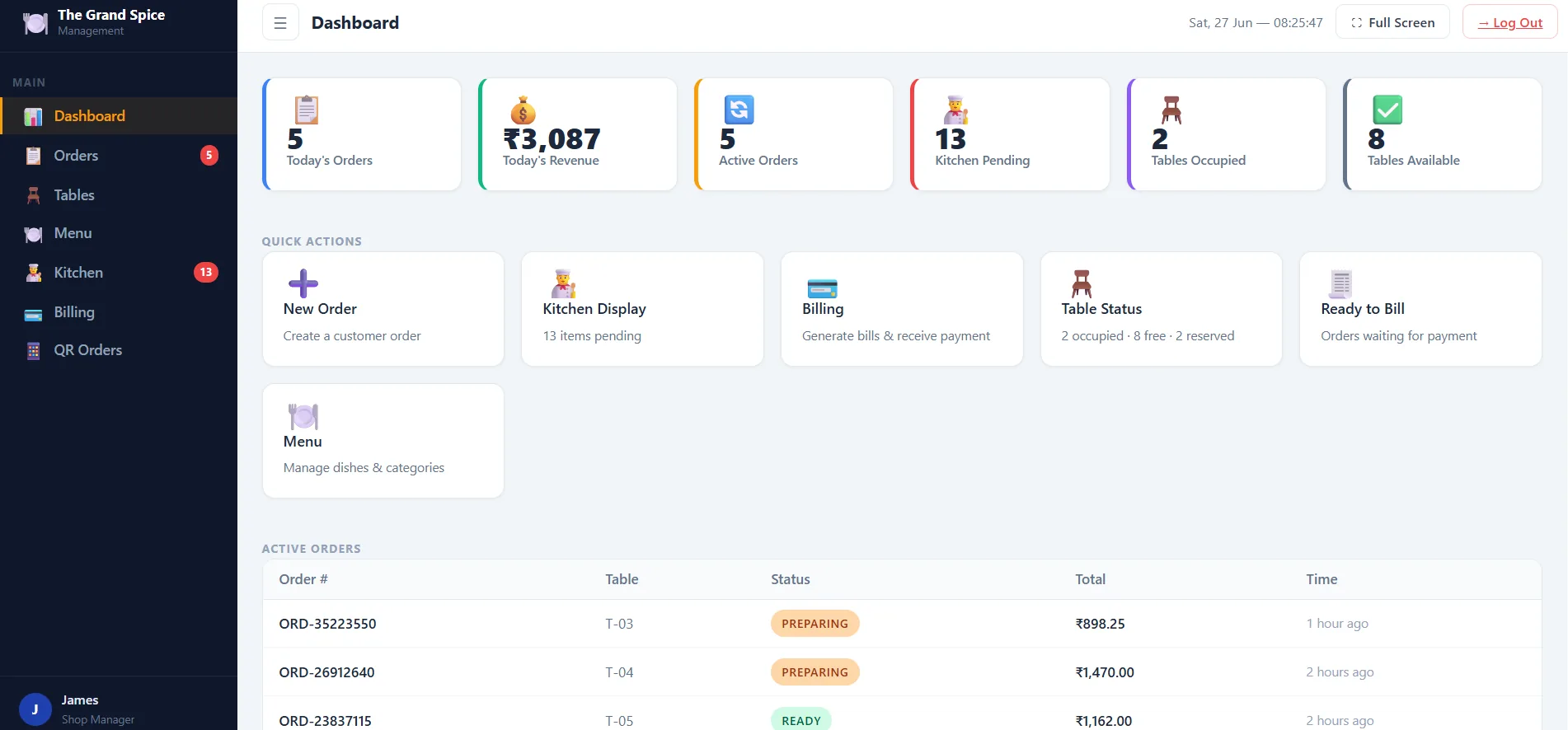
The dashboard surfaces exactly what matters right now — today's orders, revenue, kitchen backlog and table availability — so you can make decisions in seconds, not minutes.

  • Live order and revenue counters
  • Kitchen-pending alerts so nothing gets missed
  • Quick actions: new order, billing, table status
  • See active orders at a glance with live status
DineFlow dashboard showing daily orders, revenue and table status
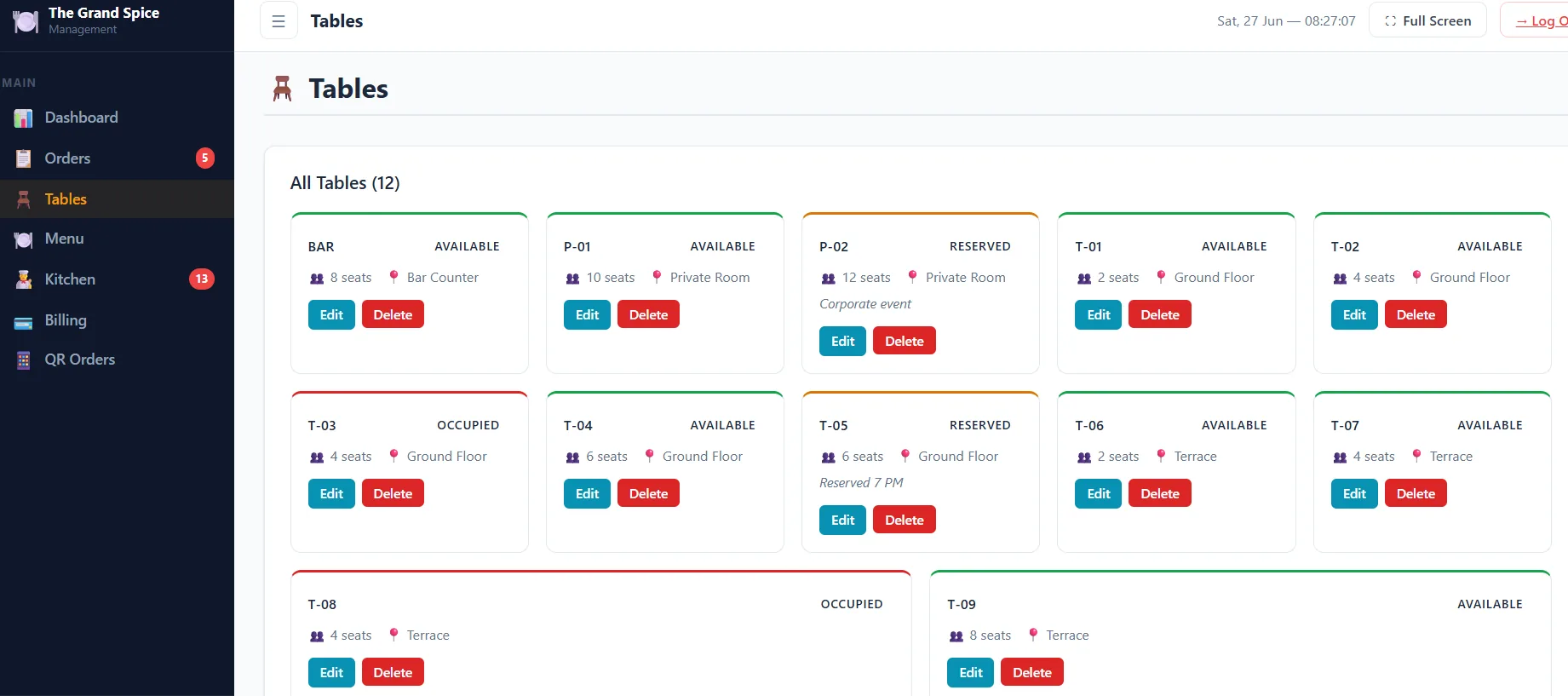
DineFlow table management grid showing free, occupied and reserved tables
Floor Management

Know Every Table's Status Instantly

A color-coded floor plan shows which tables are free, occupied, or reserved — with seating capacity and zone at a glance, so hosts seat guests faster and staff respond quicker.

  • Color-coded status: free, occupied, reserved
  • Seating capacity and zone (Terrace, Ground Floor, etc.)
  • One-click edit or remove any table
  • Reservation notes visible right on the card
Mobile App

The Same Floor View, Right in Your Pocket

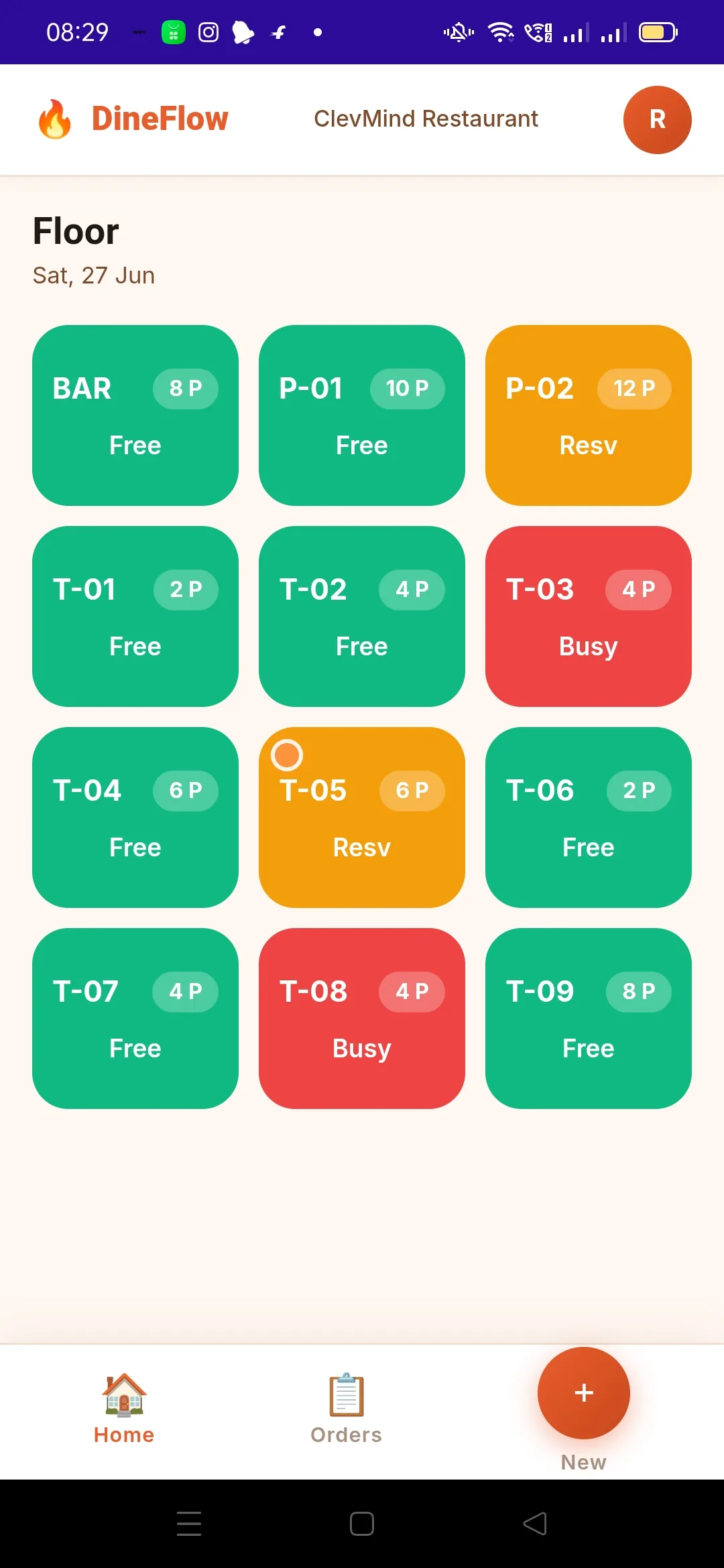
Waitstaff don't need to run back to a terminal. The DineFlow mobile app mirrors the floor plan in real time, so any team member can check table status from anywhere on the floor.

  • Real-time sync with the web dashboard
  • Tap any table to start a new order instantly
  • Color coding matches the desktop view exactly
  • Built for one-handed use during service
DineFlow mobile app floor view for restaurant staff
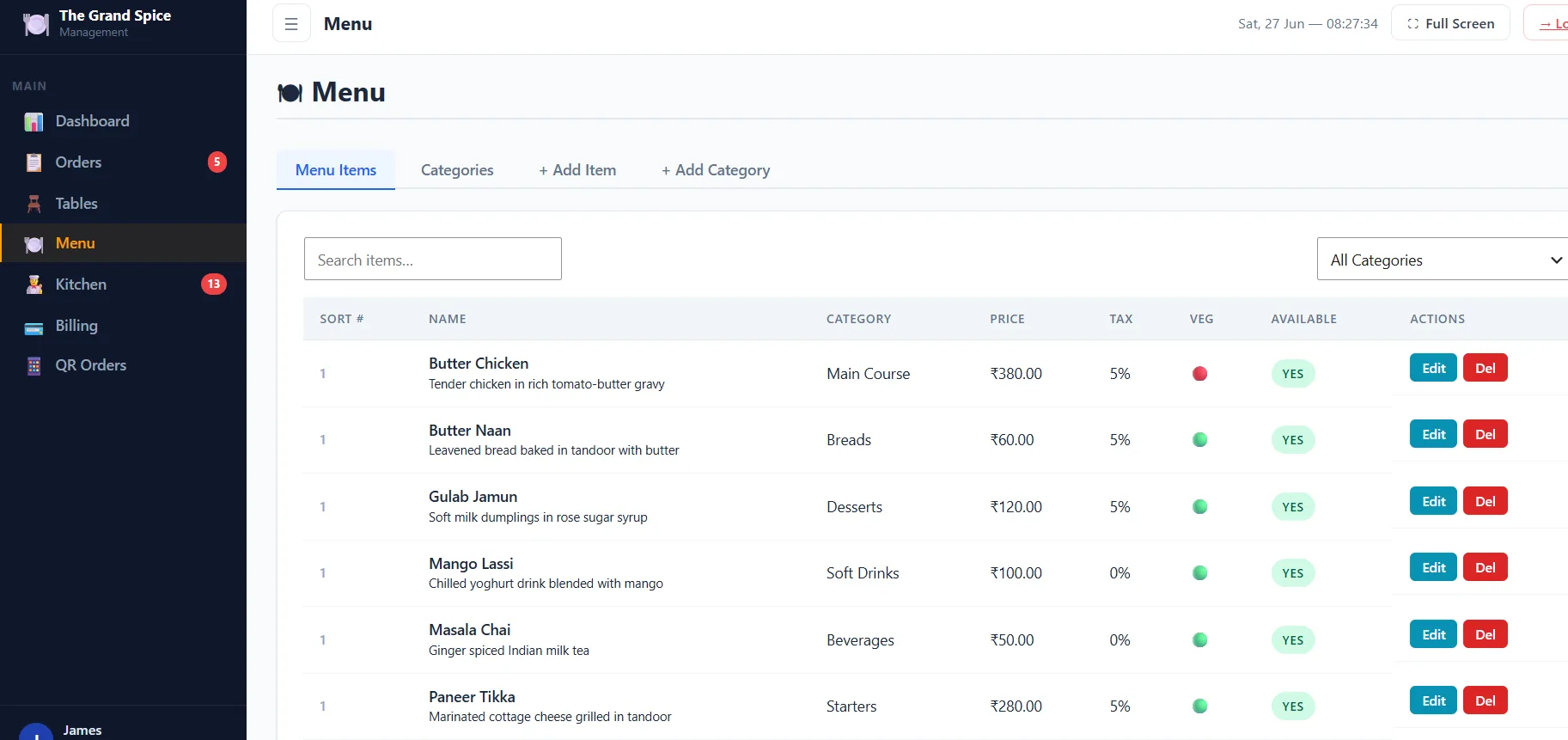
DineFlow menu management screen with categories and pricing
Menu Management

Update Your Menu in Seconds, Not Hours

Add dishes, set prices and tax rates, mark items veg/non-veg, and organise everything into categories — all from one searchable list that your whole team can rely on.

  • Unlimited categories and menu items
  • Per-item tax rate and veg/non-veg tagging
  • Instant availability toggle (mark sold out)
  • Search and filter by category in real time
Mobile Ordering

Take Orders Tableside, Without the Clipboard

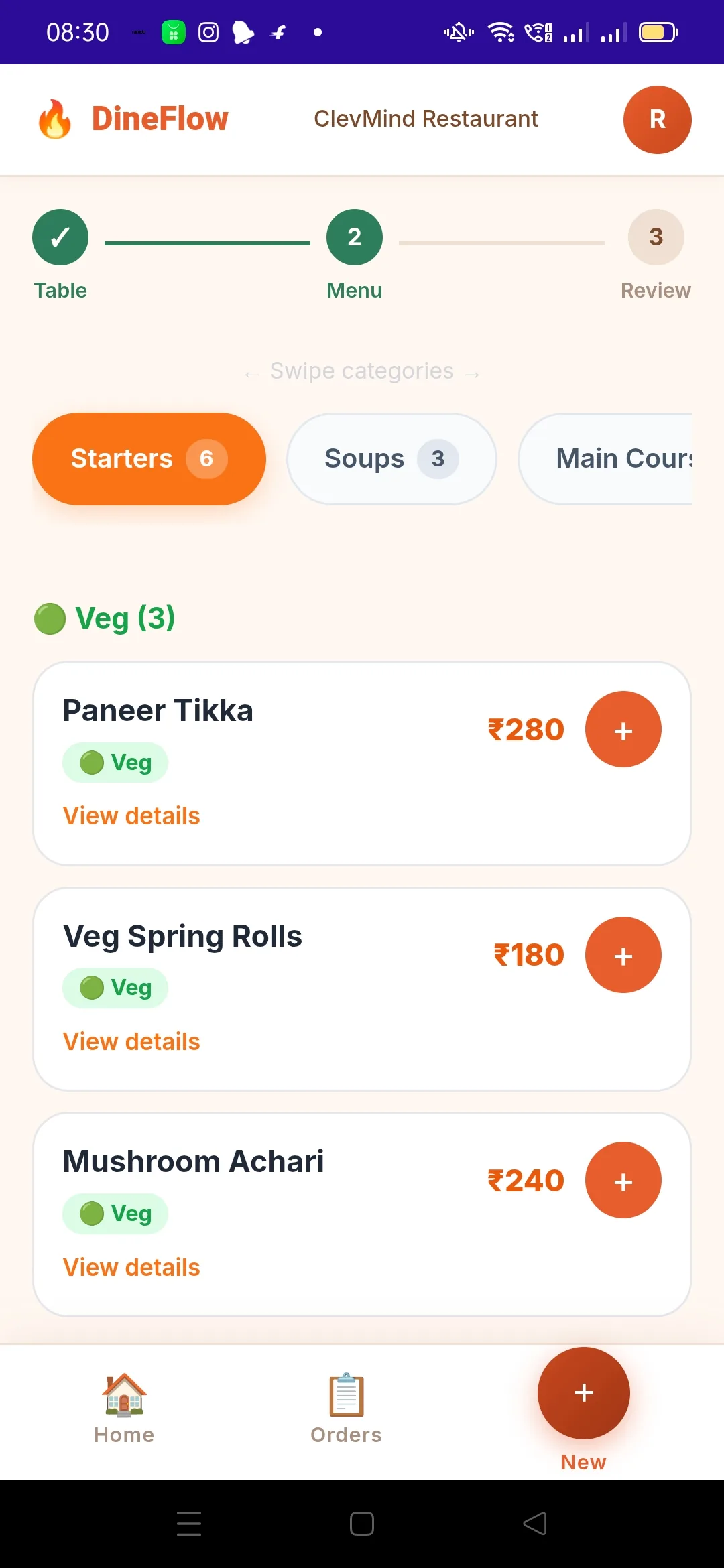
Waitstaff browse the live menu by category, see veg/non-veg tags and prices instantly, and add items to an order with a single tap — cutting order-taking time dramatically.

  • Swipeable category tabs (Starters, Soups, Mains…)
  • Veg/non-veg filters built right in
  • Add-to-order with one tap per dish
  • Step indicator: Table → Menu → Review
DineFlow mobile app menu browsing screen for placing a new order
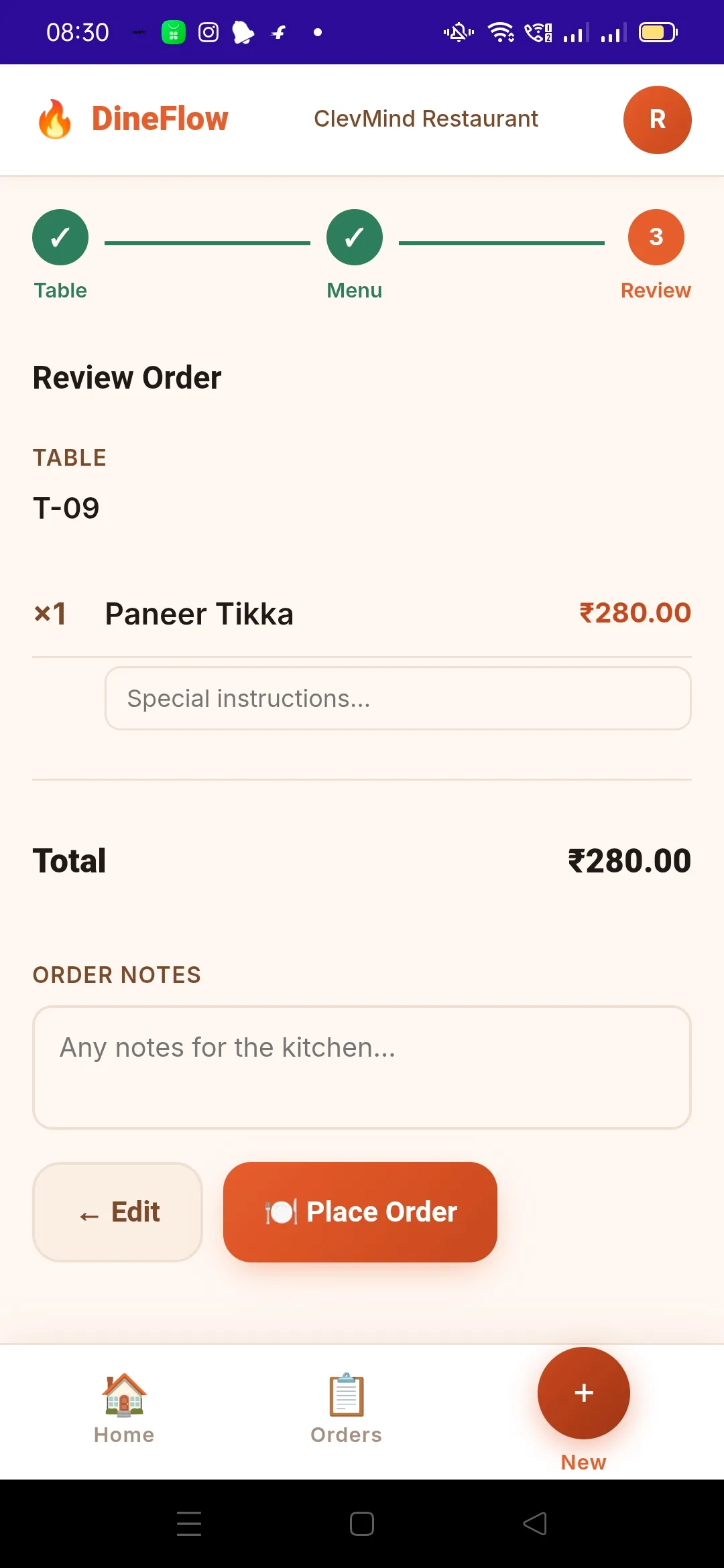
DineFlow mobile app order review screen before placing an order
Order Review

Double-Check Before It Hits the Kitchen

A clean review screen shows every item, quantity and the running total before the order is placed — with space for special instructions so the kitchen gets it right the first time.

  • Full itemised order with live total
  • Per-item special instructions field
  • General order notes for the kitchen
  • One-tap "Place Order" sends it straight to KDS
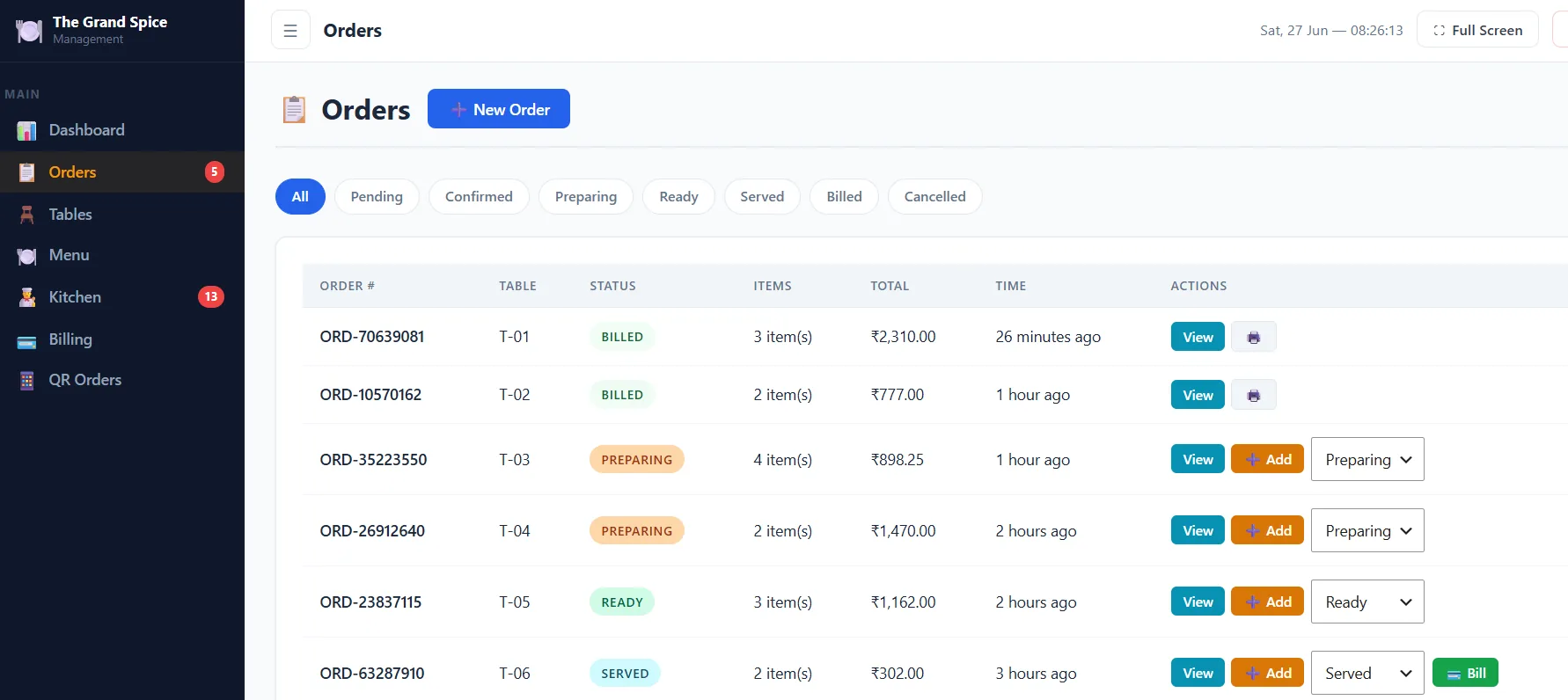
Order Tracking

Every Order, Tracked From Kitchen to Bill

Filter orders by status — Pending, Preparing, Ready, Served, Billed — so your team always knows exactly what stage each table is at without walking over to check.

  • One-click status filters across the whole flow
  • Add items to an existing order mid-service
  • Direct "Bill" action once an order is served
  • Order age shown so nothing sits too long
DineFlow orders list with status filters for a restaurant
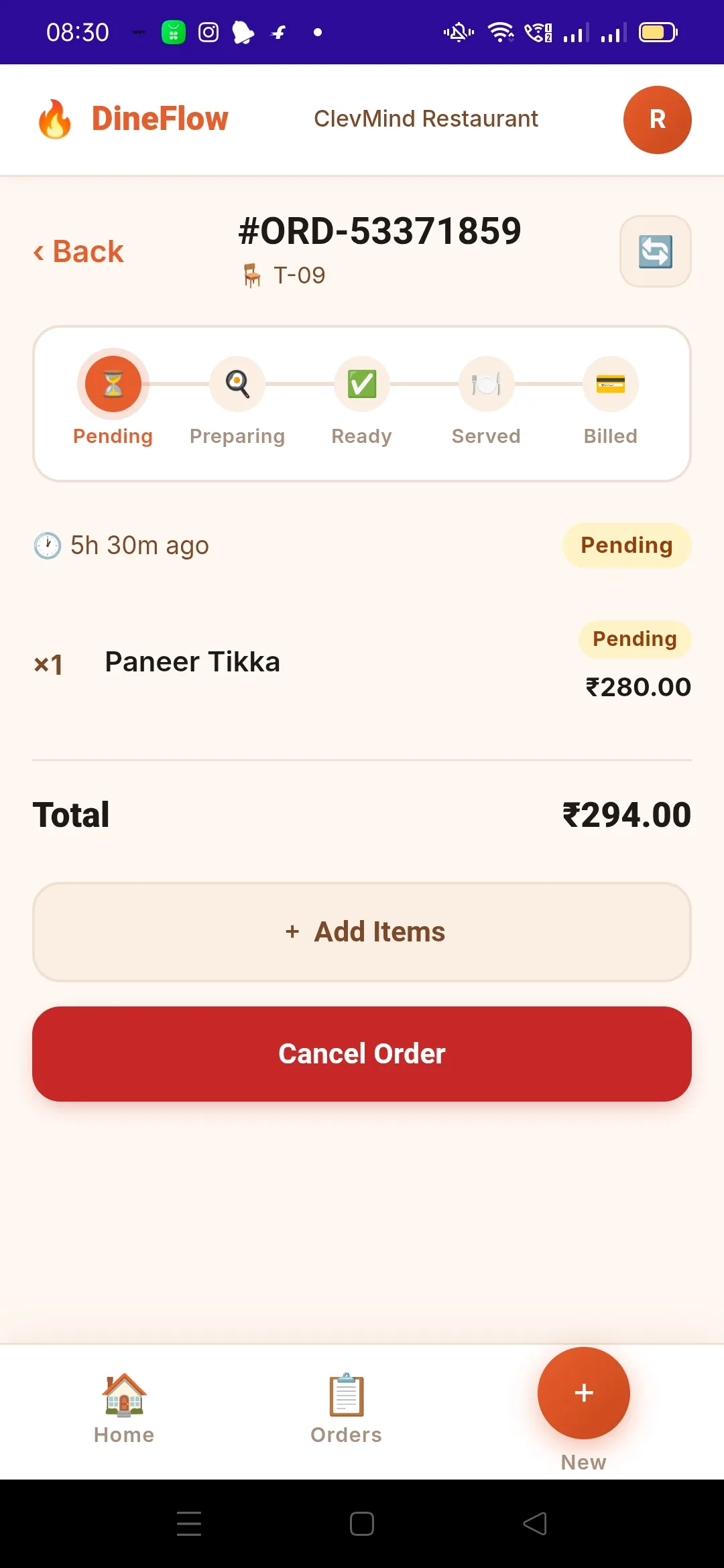
DineFlow mobile app live order tracking screen showing pending status
Live Status on Mobile

Track Any Order From Anywhere on the Floor

Tap into any order to see its live progress, add more items mid-service, or cancel if needed — all from the same phone your staff are already carrying.

  • Visual progress bar: Pending → Preparing → Ready → Served → Billed
  • Add items without creating a duplicate order
  • Cancel order with one tap when needed
  • Auto-refreshing order status
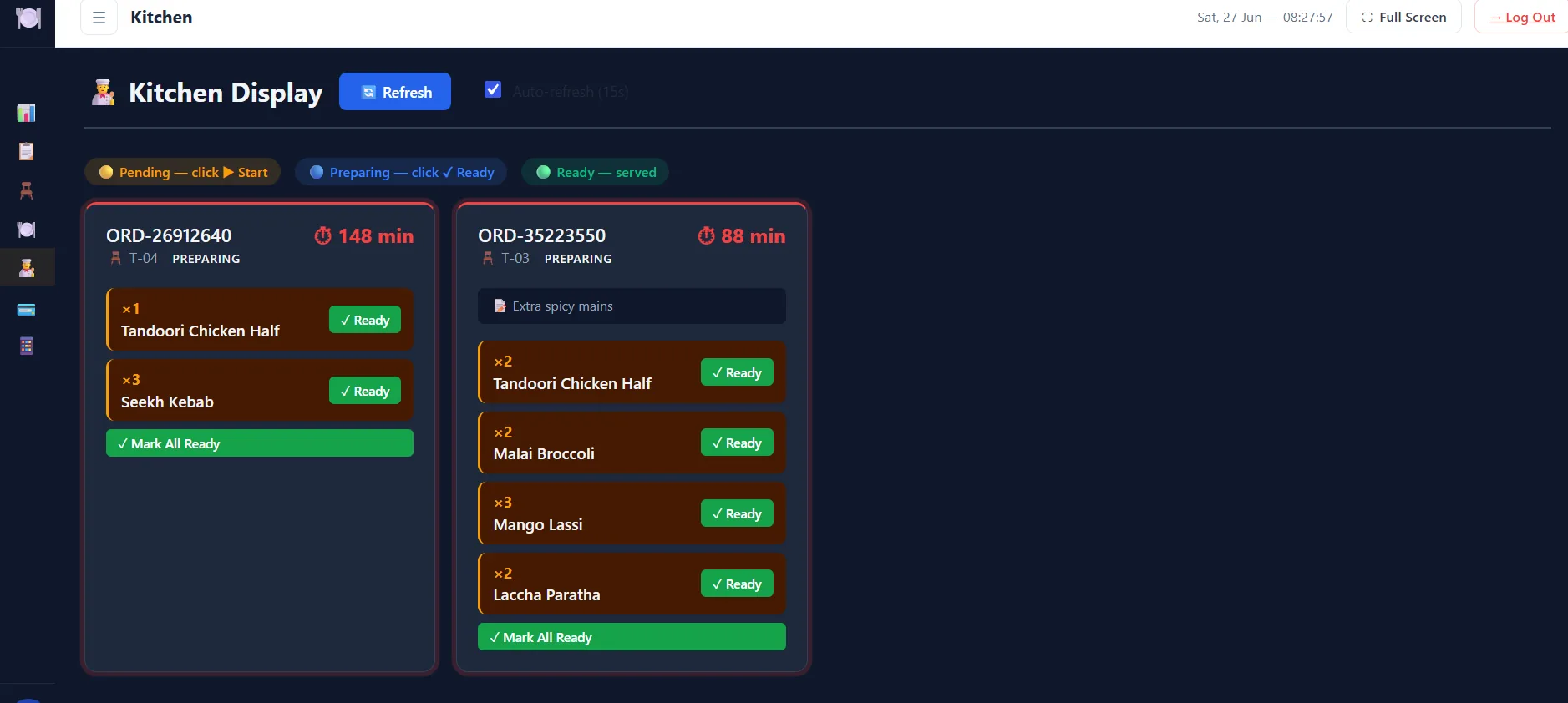
Kitchen Display System

Kitchens Move Faster When Tickets Are Clear

The Kitchen Display System replaces paper chits with a live, auto-refreshing screen — kitchen staff mark items ready with one tap, and front-of-house sees it update instantly.

  • Auto-refresh every 15 seconds, no manual reload
  • Color-coded by order age — spot delays instantly
  • Mark individual items or the whole order ready
  • Special instructions shown right on the ticket
DineFlow kitchen display system showing preparing orders
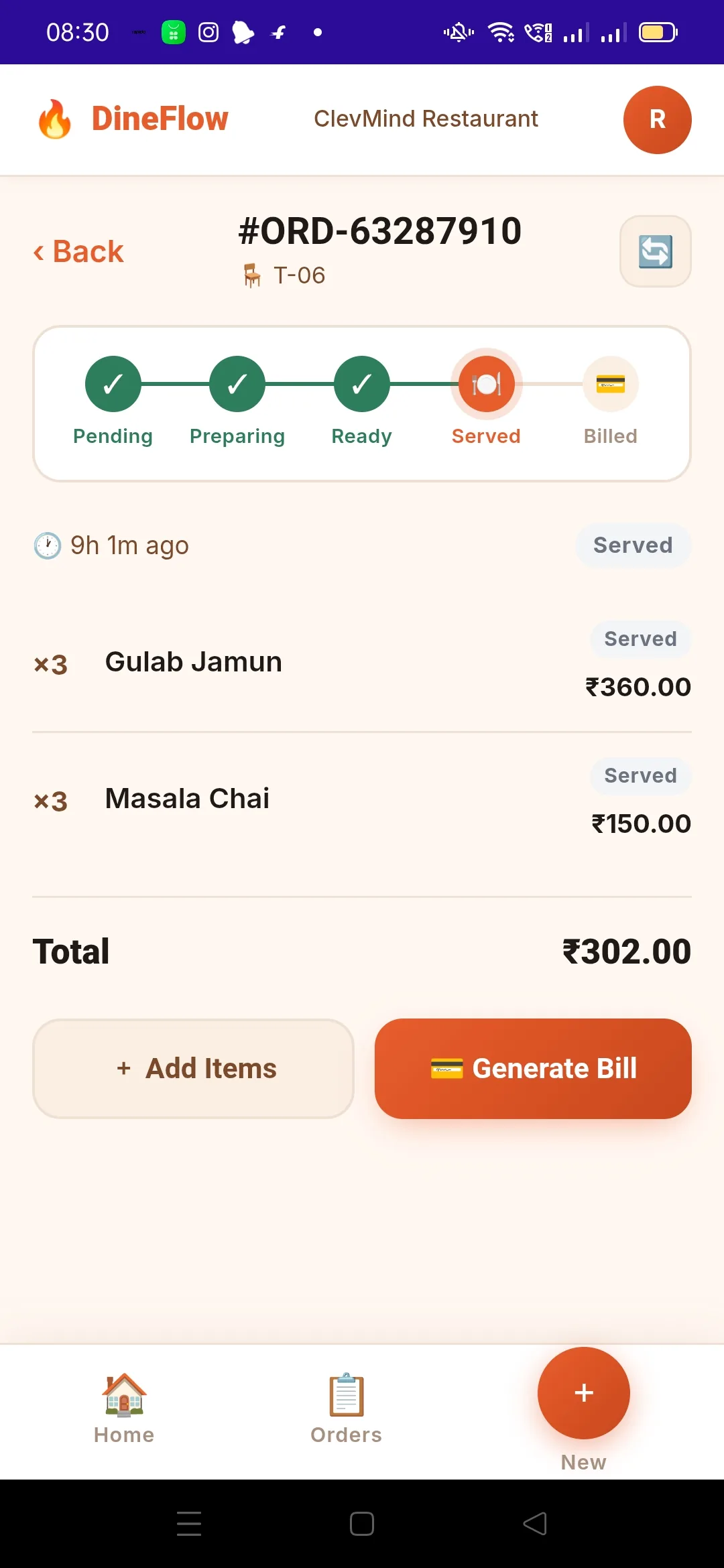
DineFlow mobile app order status screen ready to generate a bill
Order Status

From Served to Billed in One Tap

Once an order is served, generating the bill is instant — see the full itemised total and create the bill right from the same screen without switching apps or terminals.

  • Full progress trail for every order
  • Generate Bill button right where you need it
  • Add more items even at the served stage
  • Order total always visible and accurate
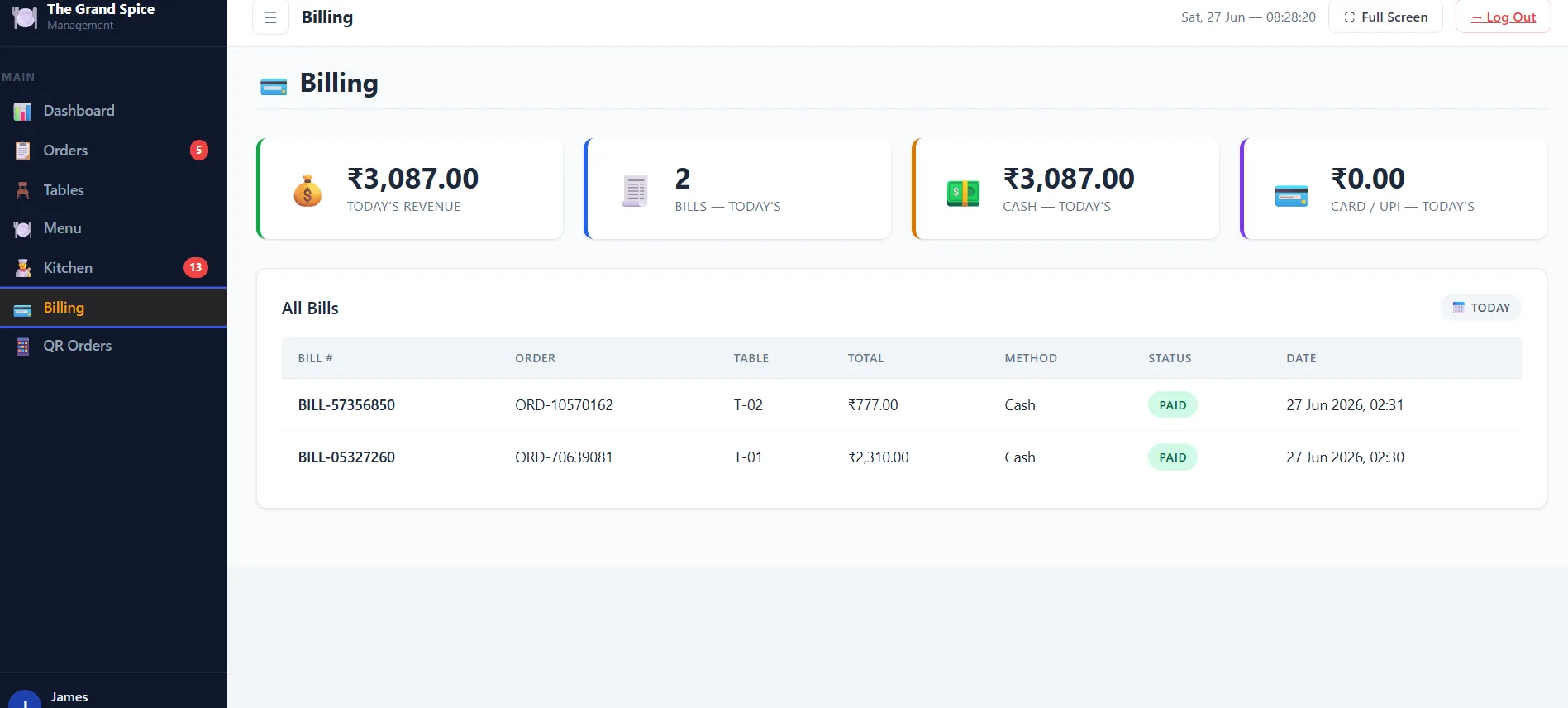
Billing & Payments

Clear, Accurate Billing — Every Single Time

See today's revenue, bill count, and payment method breakdown at a glance, with every bill linked back to its order and table for complete, auditable records.

  • Today's revenue, bill count and cash/card split
  • Every bill linked to its order and table
  • Paid status tracked automatically
  • Date filters to review any past day
DineFlow billing dashboard with daily revenue and payment methods
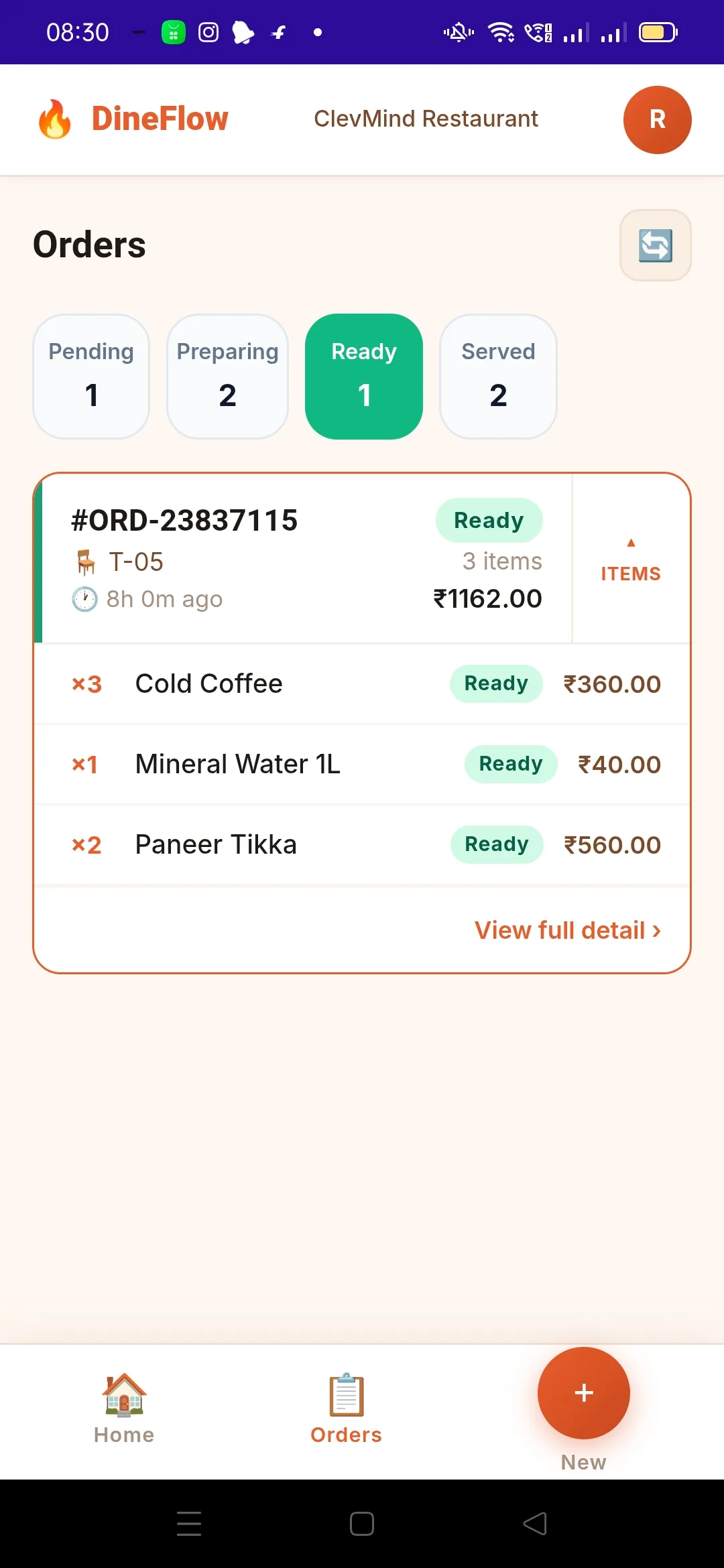
DineFlow mobile app showing orders grouped by status
Stay On Top, On the Move

See Every Active Order Status at a Glance

Staff can check how many orders are pending, preparing, ready or served right from their phone — and drill into any single order for full item-level detail.

  • Status counters: Pending, Preparing, Ready, Served
  • Tap any order card for full item breakdown
  • Item-level status (not just order-level)
  • Designed for busy, fast-moving shifts
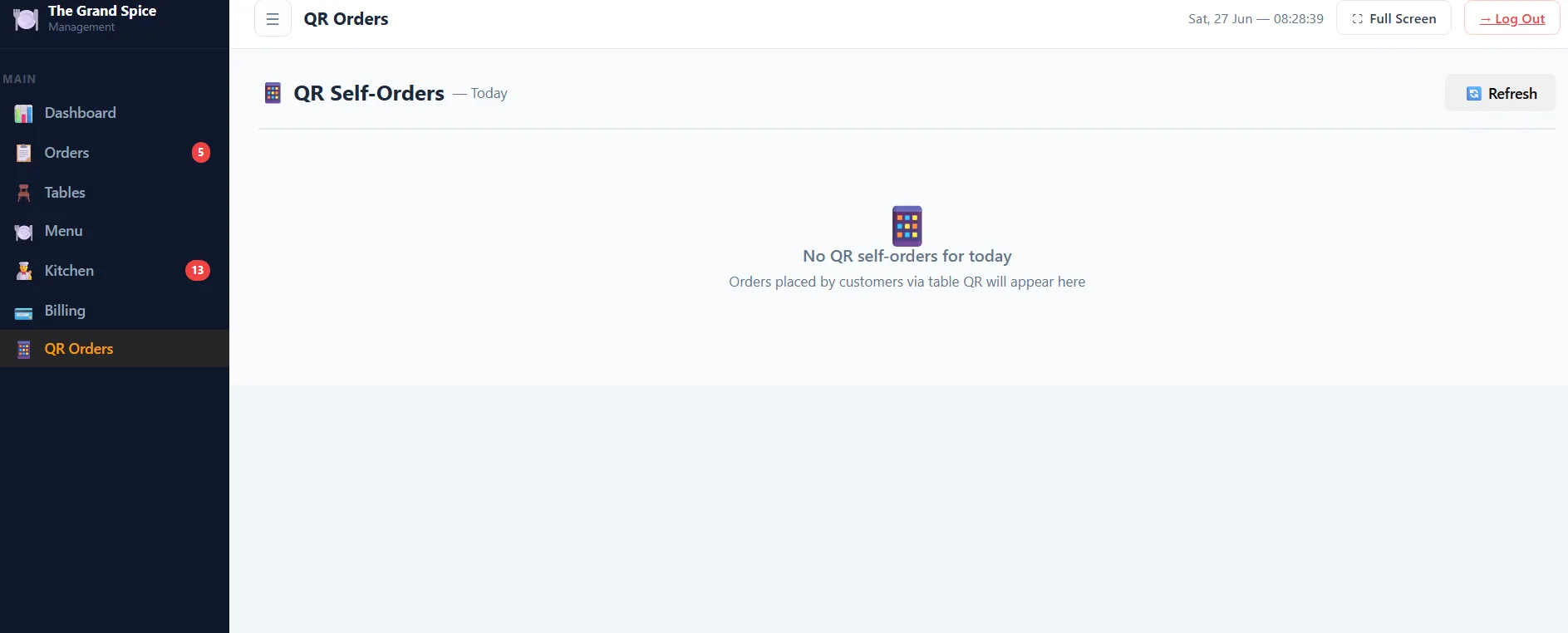
QR Self-Ordering

Let Guests Order Straight From Their Table

Place a QR code on each table and guests can browse the menu and order directly from their phone — orders flow straight into the same dashboard your staff already use.

  • No app download needed for guests
  • Orders appear instantly alongside staff-placed orders
  • Reduces wait staff workload during peak hours
  • Fully integrated — no separate system to manage
DineFlow QR self-order dashboard for contactless ordering
Ready When You Are

See DineFlow POS in Action

Book a free, no-obligation walkthrough. We'll tailor the demo to your restaurant, café or cloud kitchen.

Book Your Free DineFlow Demo

Tell us about your project — we respond within 24 hours.

🔒 Your information is encrypted and never shared with third parties.